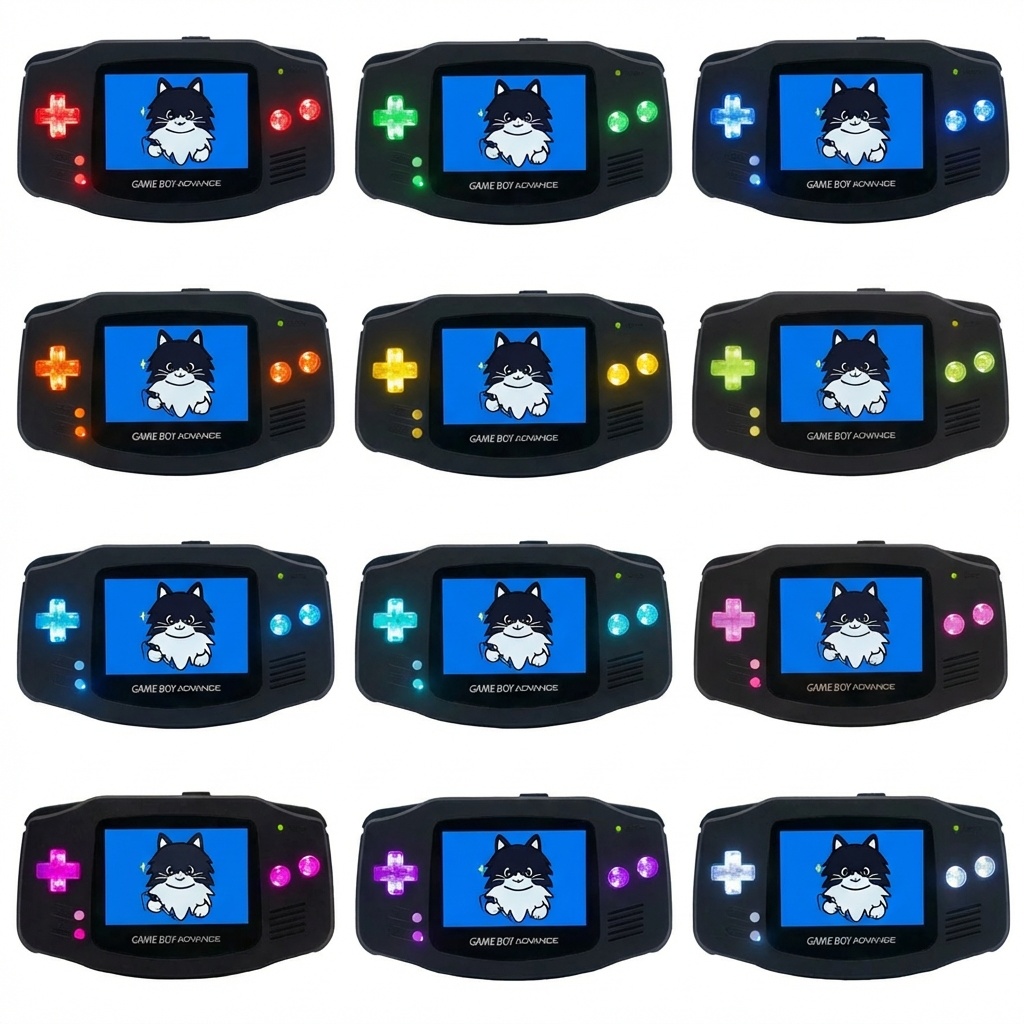
Game Boy Advance ボタンLED発光 MODキット
- 物販商品(自宅から発送)ショップの通常発送日数:支払いから5日以内¥ 3,000
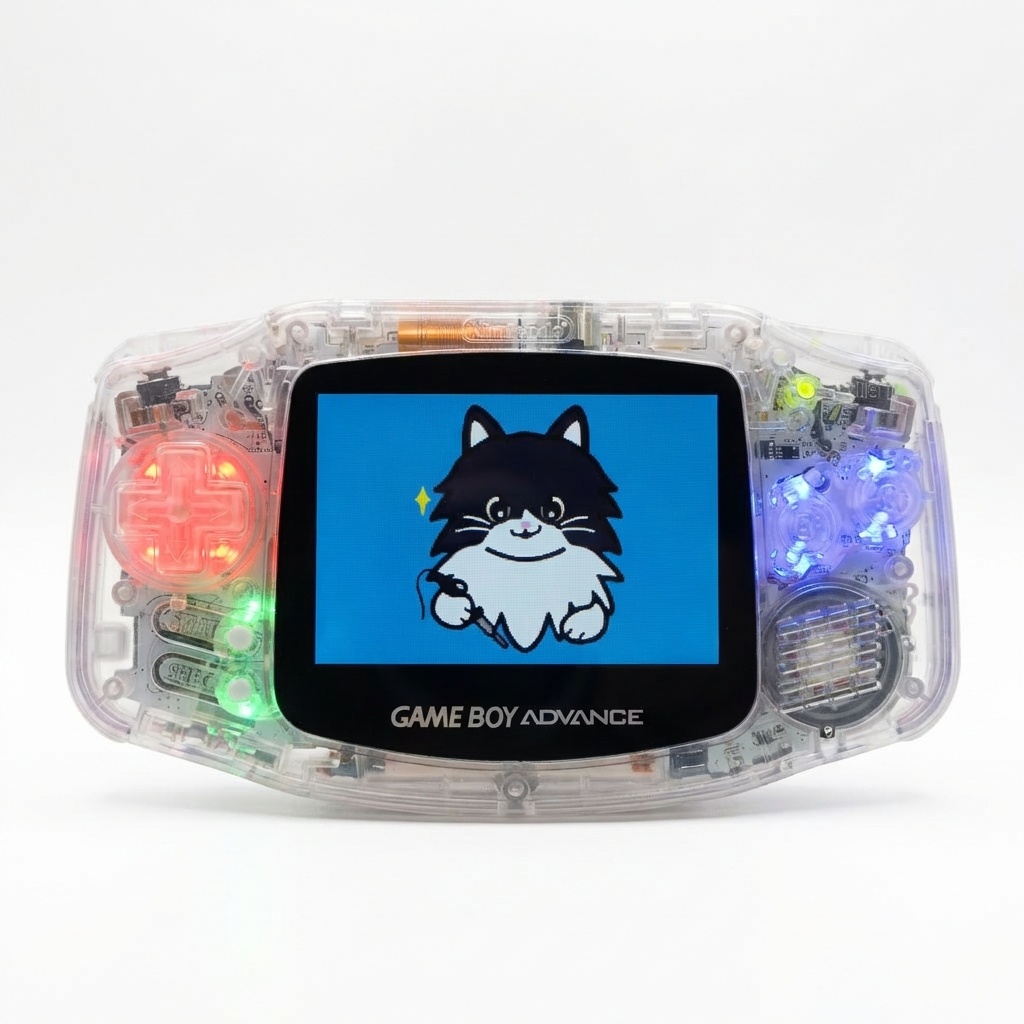
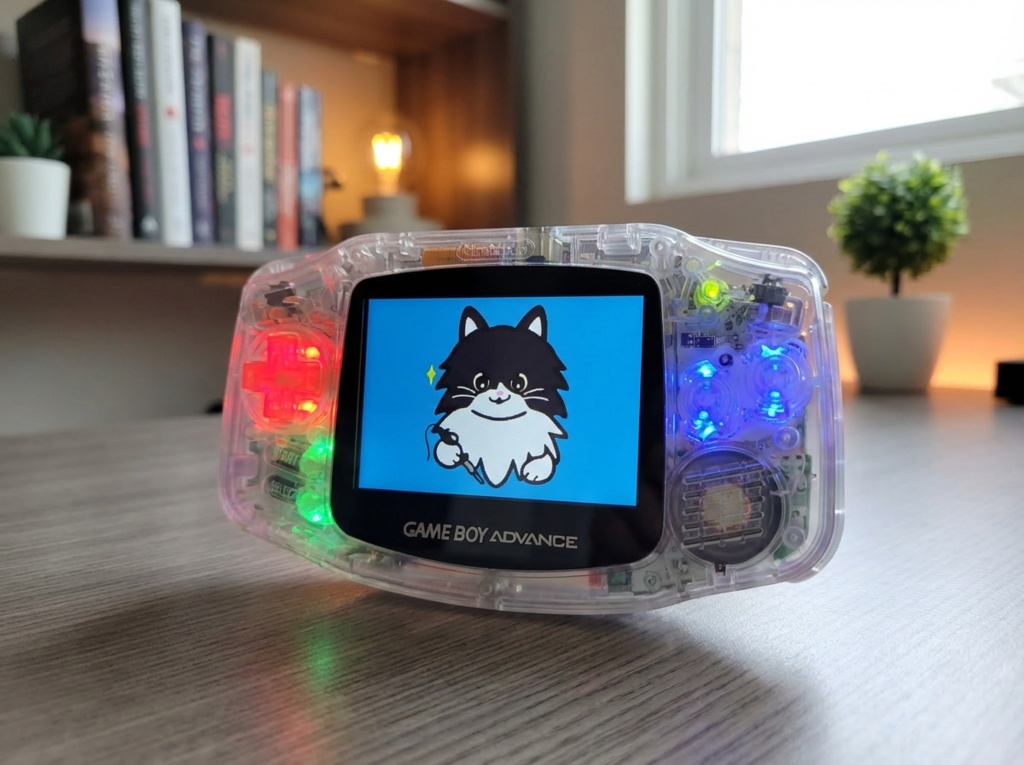
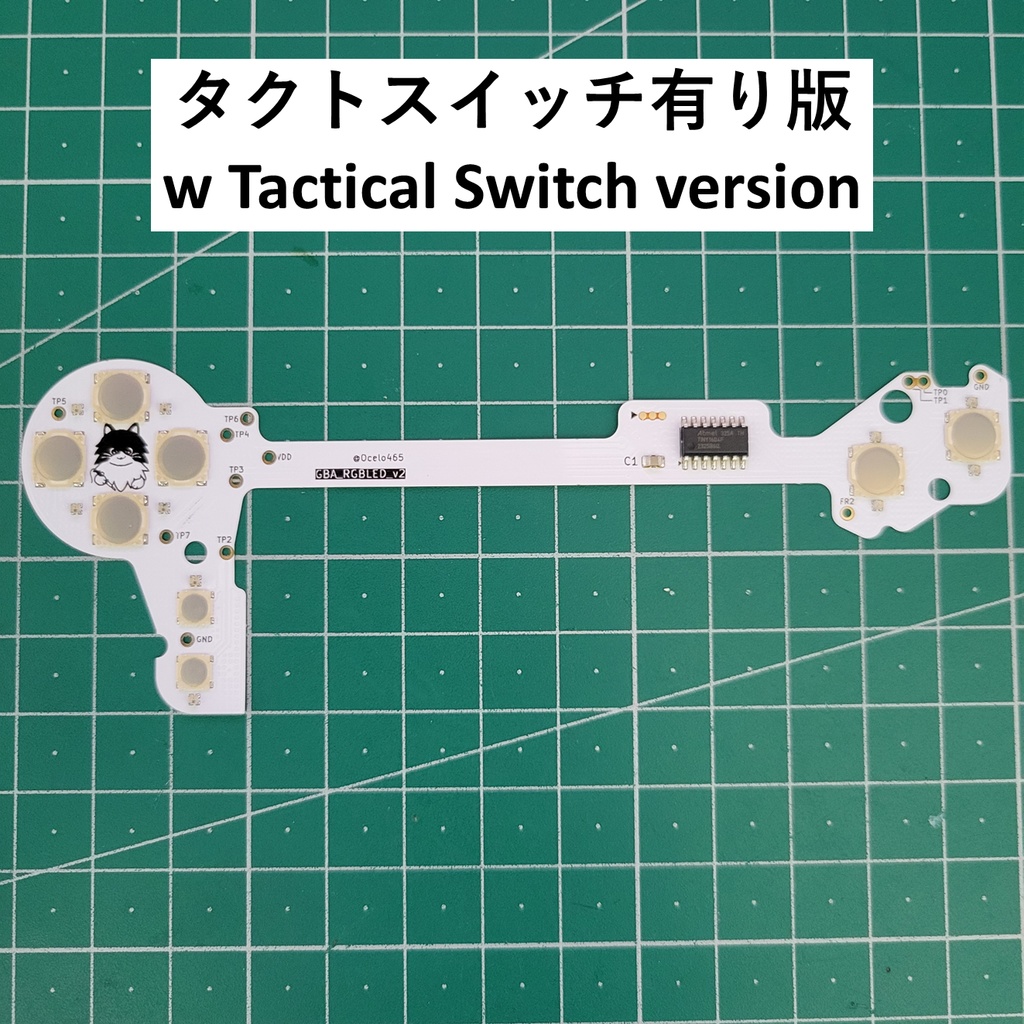
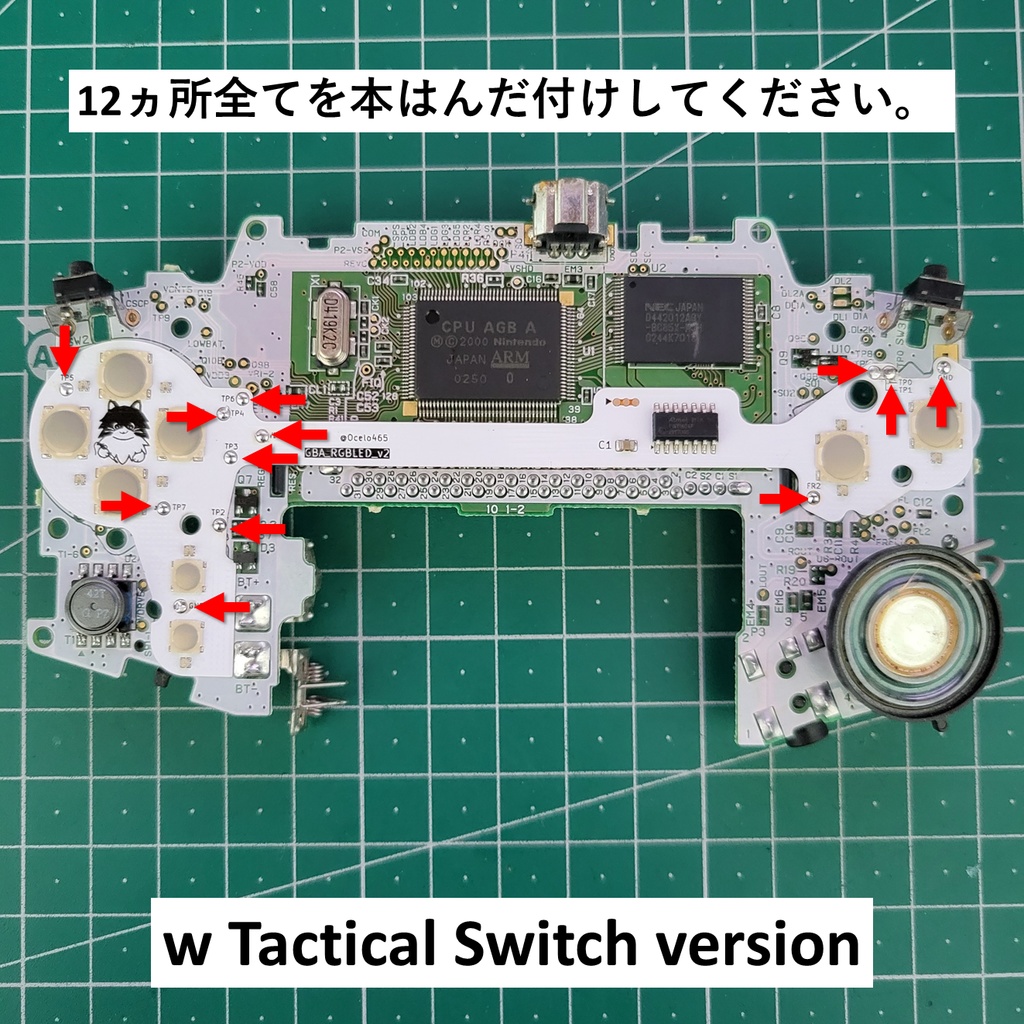
Game Boy Advance ボタンLED発光 MODキット Game Boy Advance RGB Button LED MOD Kit *English is after Japanese. GBA(初代)のボタンを、12色RGB LEDで光らせる改造キットです。 ボタンの発光カラーや明るさ、アニメーションを細かくカスタマイズできます。 本商品には「タクトスイッチ有り(ポチポチした押し心地)」と、GBA本来の操作感を残した「タクトスイッチ無し」の2バージョンがあります。 === このMODキットでできること === - GBAの「十字キー / START・SELECT / A・Bボタン」を、12色のRGB LEDで発光。 - 「十字キー / START・SELECT / A・Bボタン」の各グループごとに、色・明るさを個別設定可能。 - 6種類のアニメーション(フェード、順次点灯、ランダムカラーなど)を内蔵。 - 電源ON直後はランダムカラー、その後は自分の設定で点灯。 - 透明ボタン・透明ラバーパッドと組み合わせると、ゲーミングデバイス風の見た目に。 === タクトスイッチ有りのメリット === - MODタクトスイッチを使用しているため、純正ラバー接点とは違う「カチッ/ポチポチ」としたクリック感が得られます。 - 連打時のリズム感や、アクションゲームでの入力感を重視する方に向いた仕様です。 - 機能(LEDの色・明るさ・アニメーションなど)は、タクトスイッチ無し版と同一です。 違いはあくまで「押し心地」です。 === 操作・設定方法 === ① "D-pad上 + SELECT + A" を3秒間長押し:色+明るさの設定 ② "D-pad下 + SELECT + A" を3秒間長押し:アニメーション切り替え ①の設定モード中に "D-pad上 + SELECT" を押すと、出荷状態にリセット(全色赤、輝度20%、アニメーションなし)します。 === LED仕様 === 色:12色(赤, 緑, 青, オレンジ, 黄, 黄緑, 水色, シアン, ピンク, マゼンダ, 紫, 白) 輝度:10%, 20%, 40%, 60%, 80%, OFF アニメーション:6種類 設定色+一定フェード 設定色+ランダムフェード ランダム色+ランダムフェード 設定色+D-pad→A/Bの順で点灯 ランダム色+D-pad→A/Bの順で点灯 アニメーションなし === 対応機種・難易度・必要なもの === - 対応機種:GBA(初代)専用。GBA SPには対応していません。 - 取付難易度:中級者向け - 必要スキル:はんだ付け経験、GBAの分解・再組立 - 作業イメージ:本基板をGBA基板に直接はんだ付け - 必要な工具:はんだごて, はんだ, フラックス, 精密ドライバー(Y字,+など), ピンセット - 推奨パーツ:透明ボタン, 透明ラバーパッド Funny Playing: https://x.gd/5S5tc https://x.gd/iHATh Retrosix: https://x.gd/qwZ0S https://x.gd/pU5pS === こんな人におすすめ === - GBAの見た目を“ゲーミングデバイス風”に光らせたい方。 - 画面改造やシェル交換は一通りやっていて、「次の一手」を探している方。 - ラバー接点のふにゃっとした押し心地より、カチッとしたクリック感が好きな方。 - オリジナルの1台が欲しい方。 === 免責・保証・発送 === - 対応機種: GBA(初代)専用。※GBA SPには対応していません。 - 免責事項: 本製品の取り付けに伴う本体の故障や破損等については一切の責任を負いかねます。自己責任で作業してください。 - 保証: 初期不良 (通電・作業前の破損)を除き、返品・交換はいたしかねます。作業後の不具合についてはサポートいたしかねます。 - 仕様: 個人製作(同人)作品です。デザインや仕様は予告なく変更される場合があります。 - 発送: クリックポスト(追跡あり)にて発送いたします。 --------------------------------------------------------------------------------------- This is a mod kit that lets you illuminate the buttons of the original GBA with 12‑color RGB LEDs. You can finely customize the LED color, brightness, and animation patterns. This product is available in two versions: the “Tact Switch Version” with a clicky button feel, and the “Non‑Tact Version” that preserves the original GBA button feel. === What this MOD kit can do === - Illuminates the GBA’s D‑pad / START & SELECT / A & B buttons with 12‑color RGB LEDs. - Allows individual color and brightness settings for each group: D‑pad / START & SELECT / A & B. - Includes 6 types of built‑in animations (fade, sequential lighting, random colors, etc.). - On power‑on, LEDs light up in random colors; after that, they follow your saved settings. - When combined with clear buttons and clear rubber pads, it gives your GBA a “gaming device style” look. === Benefits of the Tact Switch Version === - Uses mod tact switches under the buttons, giving a clicky “snap” feel that’s different from the stock rubber dome contacts. - Designed for users who care about rhythmic button tapping and precise input feel in action games. - LED functions (color, brightness, animations, etc.) are identical to the non‑tact version. The only difference is the button feel. === How to operate & change settings === - Press and hold “D‑pad UP + SELECT + A” for 3 seconds: enter Color & Brightness Setting mode. - Press and hold “D‑pad DOWN + SELECT + A” for 3 seconds: enter Animation Select mode. - While in the Color & Brightness Setting mode (above), pressing “D‑pad UP + SELECT” will reset all settings to factory default (all red, 20% brightness, no animation). === LED specifications === - Colors: 12 colors (Red, Green, Blue, Orange, Yellow, Yellow‑Green, Light Blue, Cyan, Pink, Magenta, Purple, White) - Brightness: 10%, 20%, 40%, 60%, 80%, OFF - Animations: 6 types Set color + constant fade Set color + random fade Random color + random fade Set color, lighting in order from D‑pad → A/B Random color, lighting in order from D‑pad → A/B No animation === Compatibility / Difficulty / Required tools === - Compatible system: Original Game Boy Advance (AGB‑001) only. Not compatible with GBA SP. - Installation difficulty: Intermediate - Required skills: Soldering experience, ability to disassemble and reassemble a GBA. - Installation image: This kit’s PCB is soldered directly onto the GBA’s mainboard. - Required tools: Soldering iron, solder, flux, precision screwdrivers (tri‑wing, Phillips, etc.), tweezers. - Recommended parts: Clear buttons and clear rubber pads Funny Playing: https://x.gd/5S5tc https://x.gd/iHATh Retrosix: https://x.gd/qwZ0S https://x.gd/pU5pS === Recommended for === - Those who want to make their GBA glow like a modern “gaming device” with illuminated buttons. - Users who have already done screen mods and shell swaps, and are looking for a “next step” mod. - People who prefer a crisp, clicky button feel over the soft, squishy feel of rubber dome contacts. - Anyone who wants to build a one‑of‑a‑kind custom GBA. === Disclaimer / Warranty / Shipping === - Compatible system: Original Game Boy Advance (AGB‑001) only. Not compatible with GBA SP. - Disclaimer: We cannot be held responsible for any damage or failure of the console resulting from the installation of this product. Please perform all work at your own risk. - Warranty: Returns or exchanges are only accepted for initial defects (e.g. damage or power issues before any installation work is performed). We cannot provide support or warranty coverage for any issues occurring after soldering or installation has begun. - Notes: This is a personally developed (doujin/indie) product. Design and specifications may change without prior notice. - Shipping: Shipped via Click Post (with tracking) within Japan.